Designing the path from Connex to ServiceNow
Migrating from Connex wasn’t simply a platform replacement. It was an opportunity to understand how teams worked across the client lifecycle, determine what should carry forward, and rethink what needed to change as those workflows moved into ServiceNow.
Connex wasn’t one workflow with one user. It was an ecosystem.
Expertise and contributions:
User Research
Experience Design
Workflow Design
ServiceNow Design
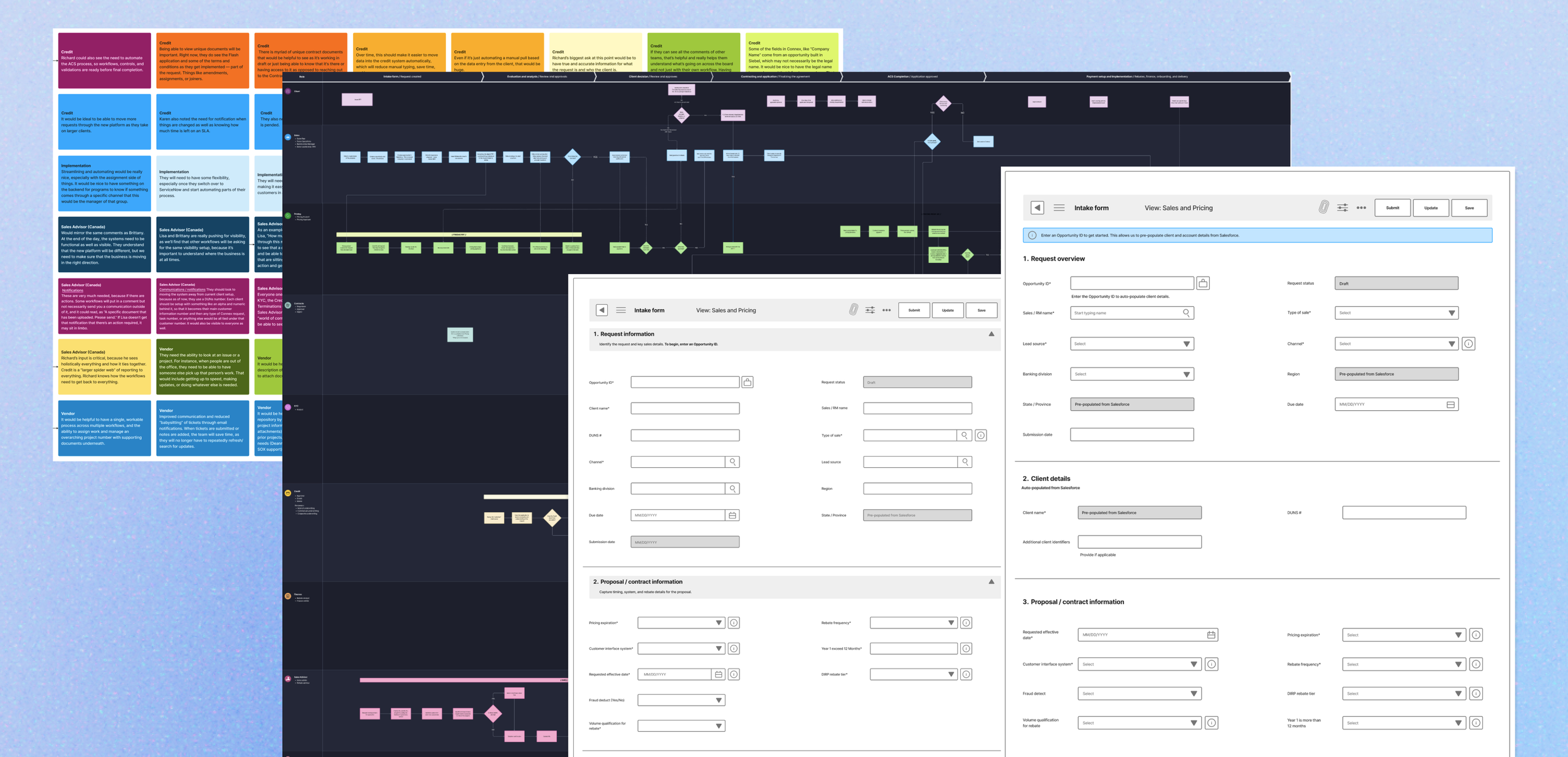
Client
U.S. Bank
Role
User Experience Designer
The challenge
Connex supports critical onboarding and servicing workflows across sales, pricing, contracts, KYC, compliance, and operations. The existing experience had become slow, manual, and difficult to navigate. The migration to ServiceNow created an opportunity to rethink how workflows, data, and reporting could work together across the client lifecycle.
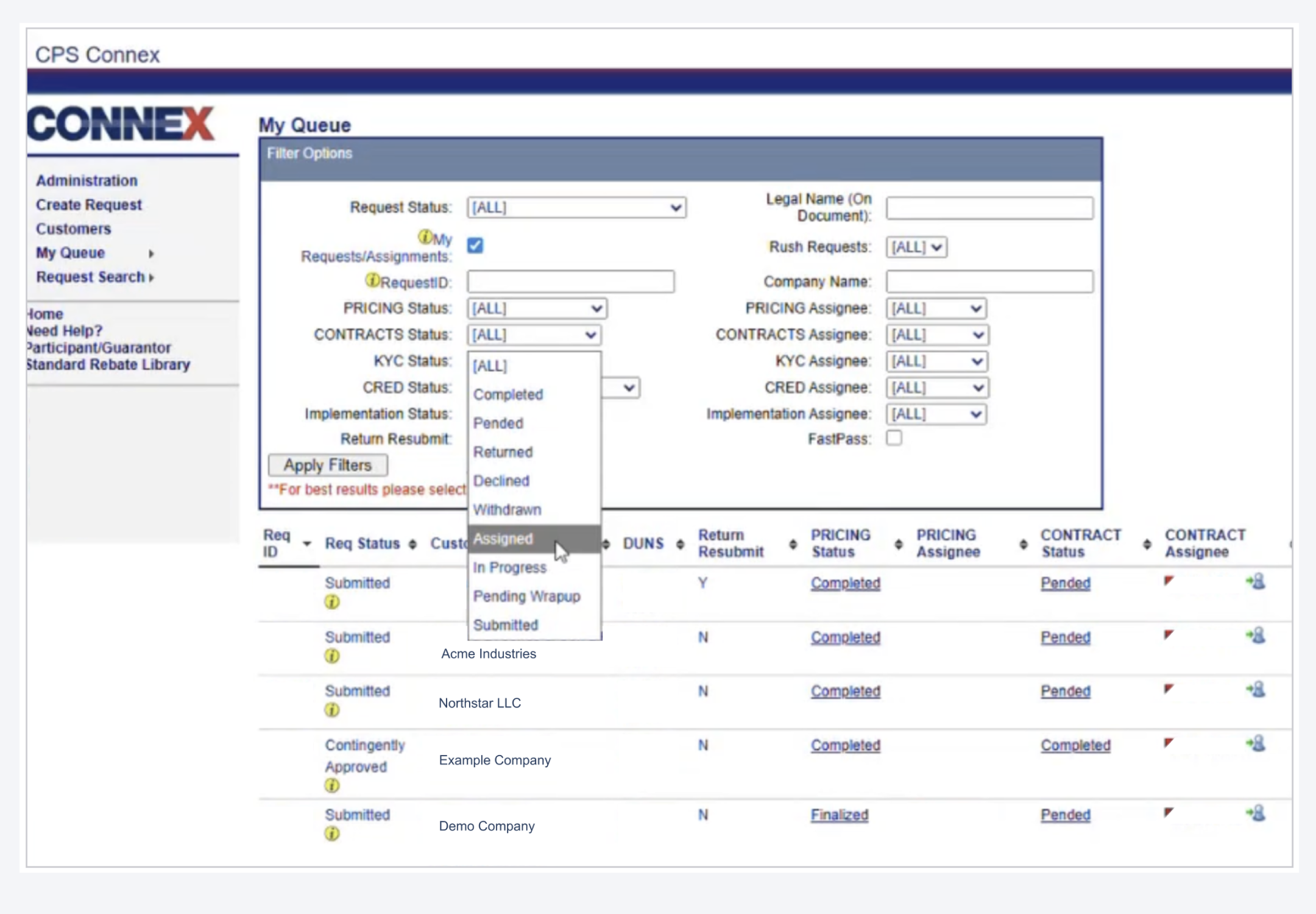
The existing Connex experience supported complex workflows across the client lifecycle.
The existing experience
Cross-functional complexity
Work moved across multiple teams, roles, and systems, creating dependencies throughout the client lifecycle.
Limited visibility
Teams often lacked clear visibility into request status, ownership, next steps, and activity across interconnected workflows.
Manual workarounds
Spreadsheets, repeated data entry, manual checks, and other workarounds added time and opportunities for error.
Scattered information
Critical context lived across requests, comments, files, email, and other systems, making it harder to understand the full picture.
Connex had evolved over time to support a wide range of onboarding and servicing needs across teams. As workflows expanded, the experience became increasingly complex, requiring users to navigate interconnected processes, information, and dependencies across the platform.
Discovery: understanding the ecosystem
Before defining the future experience, we needed to understand how Connex actually supported work across a network of teams, systems, and dependencies. I developed the partner interview framework and discussion guide to help the UX team uncover current workflows, pain points, blockers, and future-state needs.
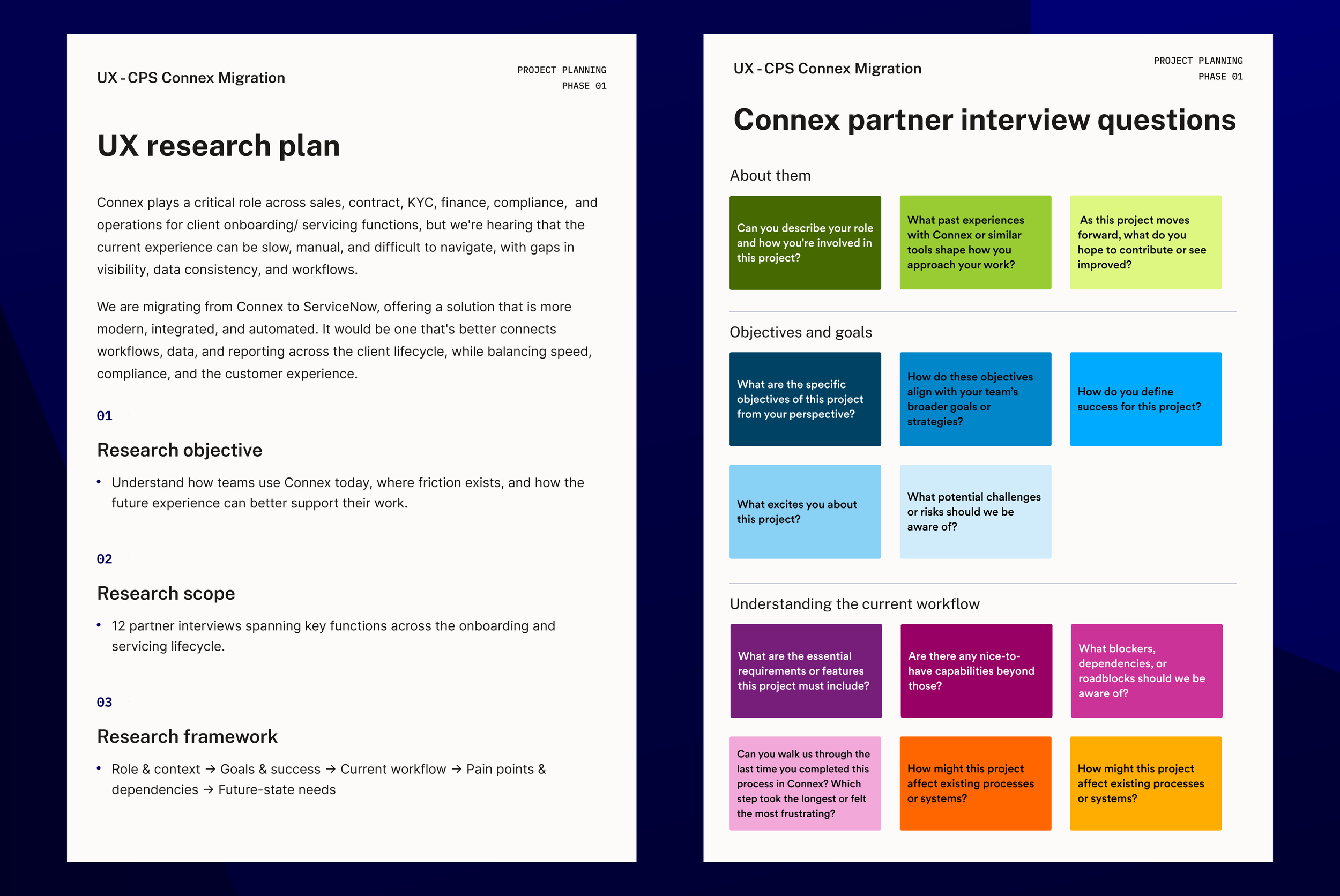
The research framework created a consistent approach for exploring workflows, pain points, dependencies, and future-state needs.
Listening across the ecosystem
Across 12 partner interviews, the UX team gathered perspectives from teams involved throughout the onboarding and servicing lifecycle. I conducted interviews across several business functions and translated detailed interview notes into FigJam cards, making the research easier for the broader team to review, compare, and synthesize.
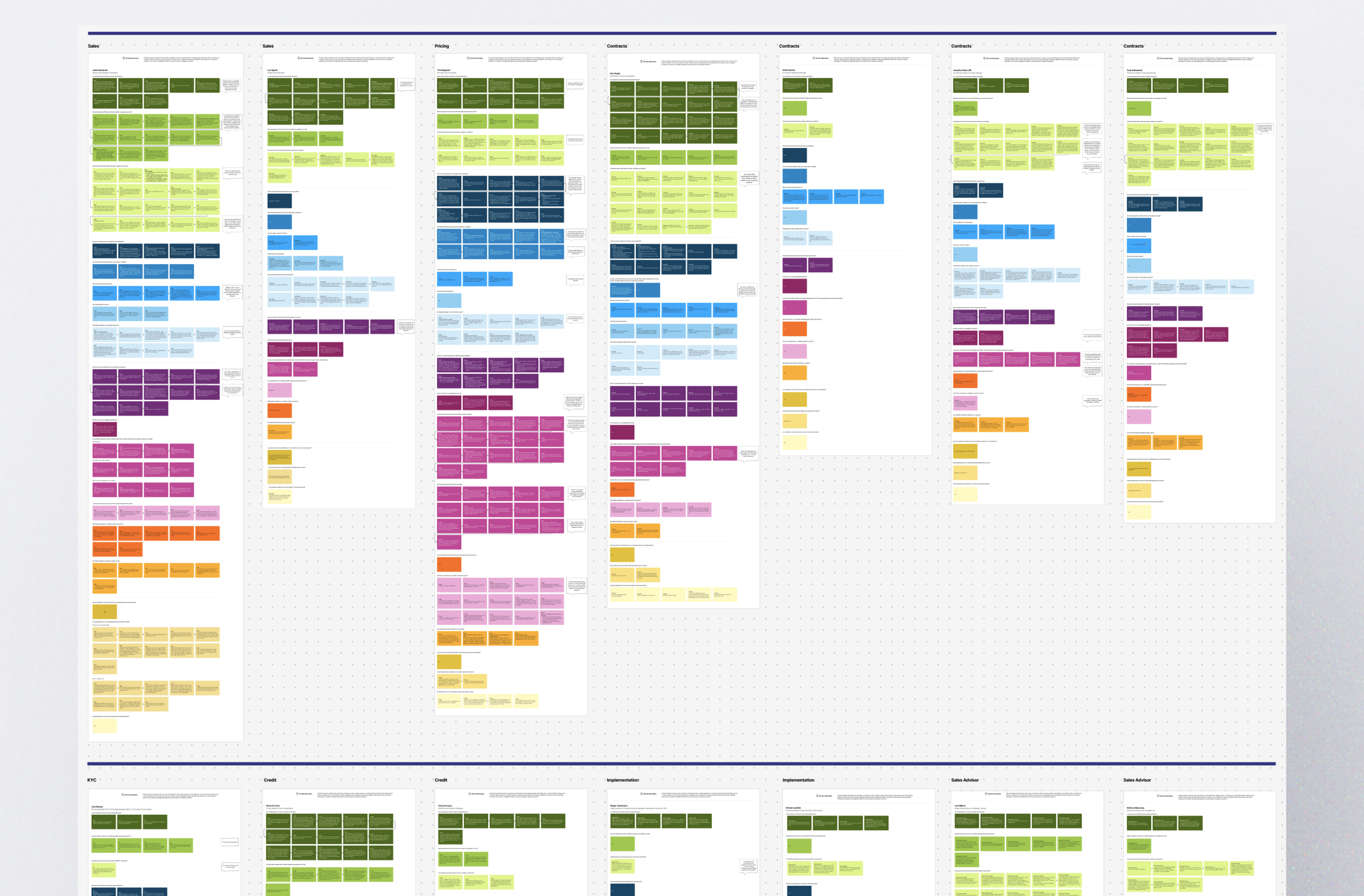
Interview notes were translated into a shared FigJam workspace, creating a visual record of perspectives across teams and workflows.
Synthesis: finding the patterns
As interviews accumulated, I worked with the UX team to synthesize perspectives across roles and workflows. While each team experienced Connex differently, recurring patterns revealed how issues in one part of the system could affect work across the broader client lifecycle.
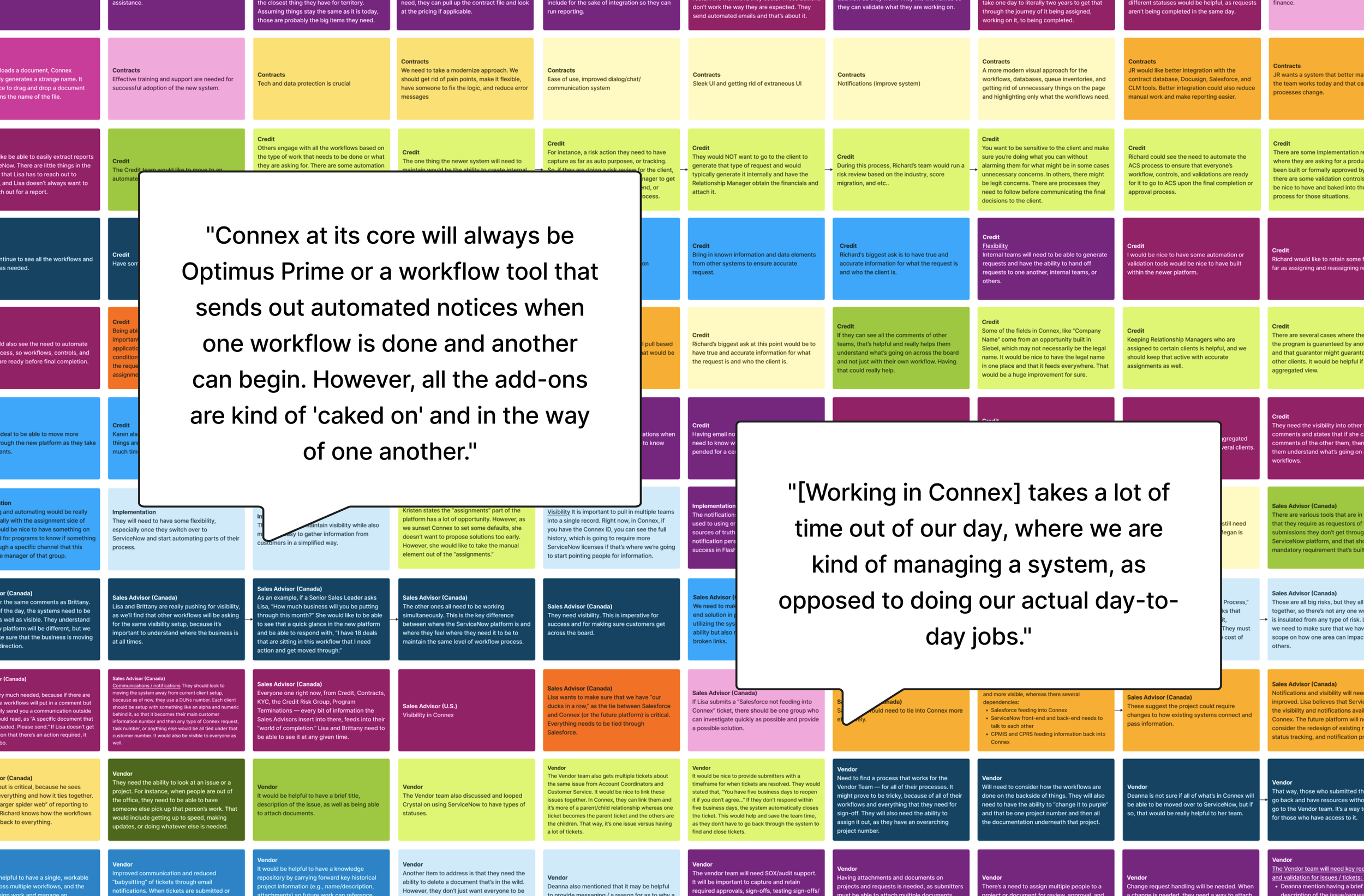
Across teams, partner voices surfaced a shared tension between managing the work and managing the system.
Six themes emerged across the research
01
Limited visibility
Teams struggled to understand request status, ownership, next steps, and activity across interconnected workflows.
02
Manual work & rework
Repeated data entry, spreadsheets, manual checks, and resubmissions added time and increased the opportunity for errors.
03
Workflow dependencies
Workflows were deeply interconnected, meaning a delay or small change in one area could create downstream effects across multiple teams.
04
Fragmented information
Critical context was distributed across tabs, requests, comments, files, email, and other systems, making it harder to understand the full picture.
05
System integration gaps
Dependencies between Connex, Salesforce, ServiceNow, and other systems could create breakdowns in data movement, ownership, and communication.
06
Flexibility vs. control
Teams valued structure, governance, and auditability, but rigid workflows struggled to accommodate exceptions, changing processes, and nuanced client needs.
Designing forward without starting over
The research also revealed what teams valued in the existing experience, including structured approvals, auditability, institutional knowledge, and established review processes. The opportunity was to reduce friction while preserving the controls and context that supported their work.
Alignment: bringing research into the room
With the research synthesized, the next step was creating shared understanding across the broader team.
I partnered with my manager to plan an in-person design thinking workshop, developing the Mural workspace and activities that would help the team move from research findings toward shared workflows and MVP priorities.
To keep partner needs visible throughout the workshop, I translated the interview findings into large-scale reference materials for the meeting space, including a consolidated view of pain points uncovered across the research.
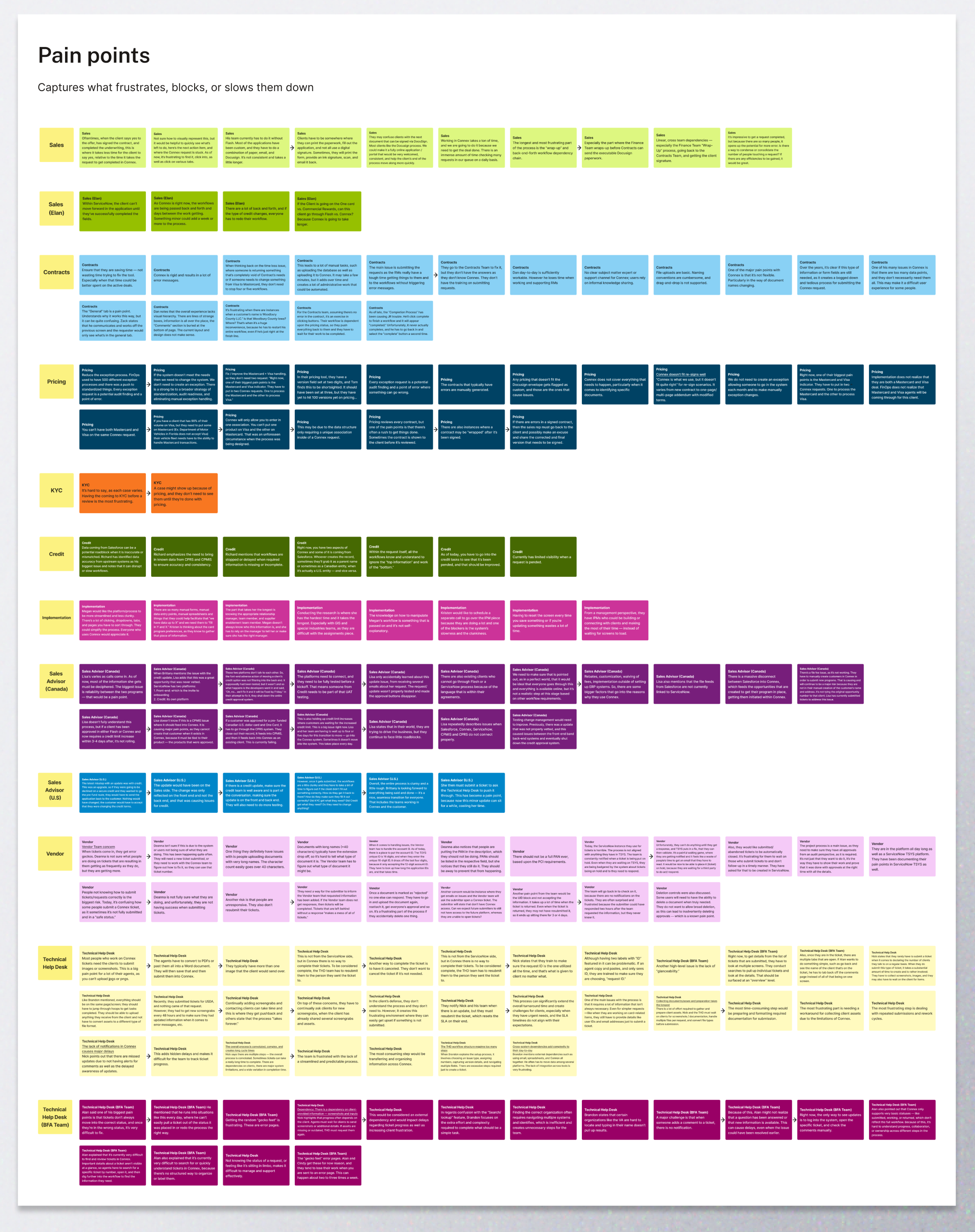
Research findings became a shared reference point, keeping partner pain points visible as the team explored future workflows and priorities.
Mapping the ecosystem together
During the workshop, I facilitated breakout sessions focused on understanding partner roles and mapping how work moved across teams and systems. These conversations helped the group clarify responsibilities, dependencies, handoffs, and the connections between workflows that would need to be considered as Connex moved into ServiceNow.
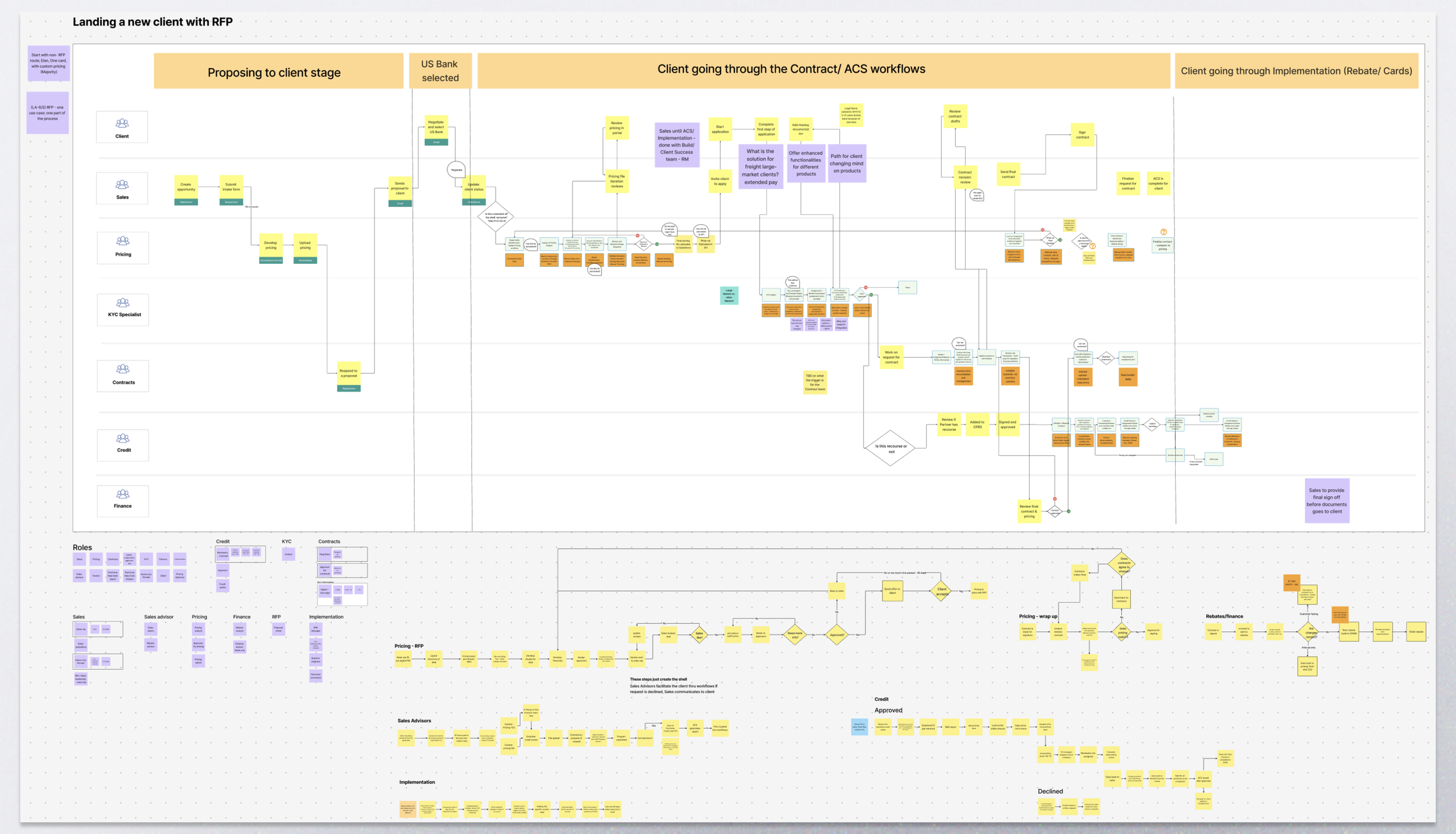
Collaborative workflow mapping helped the team make cross-functional roles, handoffs, dependencies, and system connections visible.
Making the conversation tangible
As workflows and requirements began to take shape, I used Figma Make to rapidly translate a spreadsheet-based intake structure into an early ServiceNow concept. Sharing the exploration on the final day gave the team something tangible to react to while the broader MVP workflow continued to evolve.
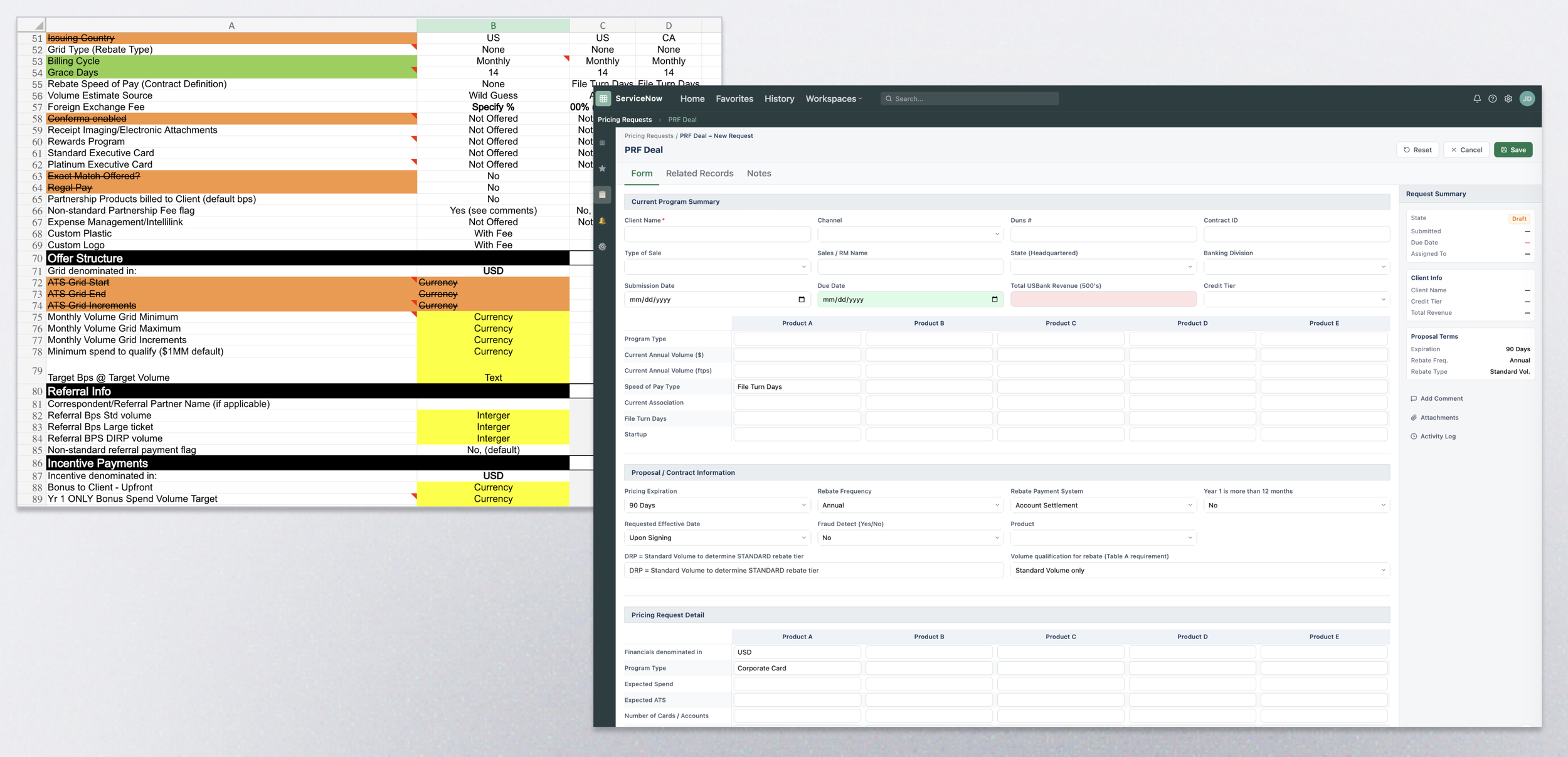
Translating the spreadsheet into an interface helped the team begin evaluating how requirements could become a usable intake experience.
Defining the MVP workflow
With the broader ecosystem mapped, I translated workshop findings into an end-to-end MVP workflow spanning the client lifecycle. The workflow is a living artifact that helps us understand how work moves across teams, where decisions and handoffs occur, and how interconnected processes need to work together within the future ServiceNow experience.
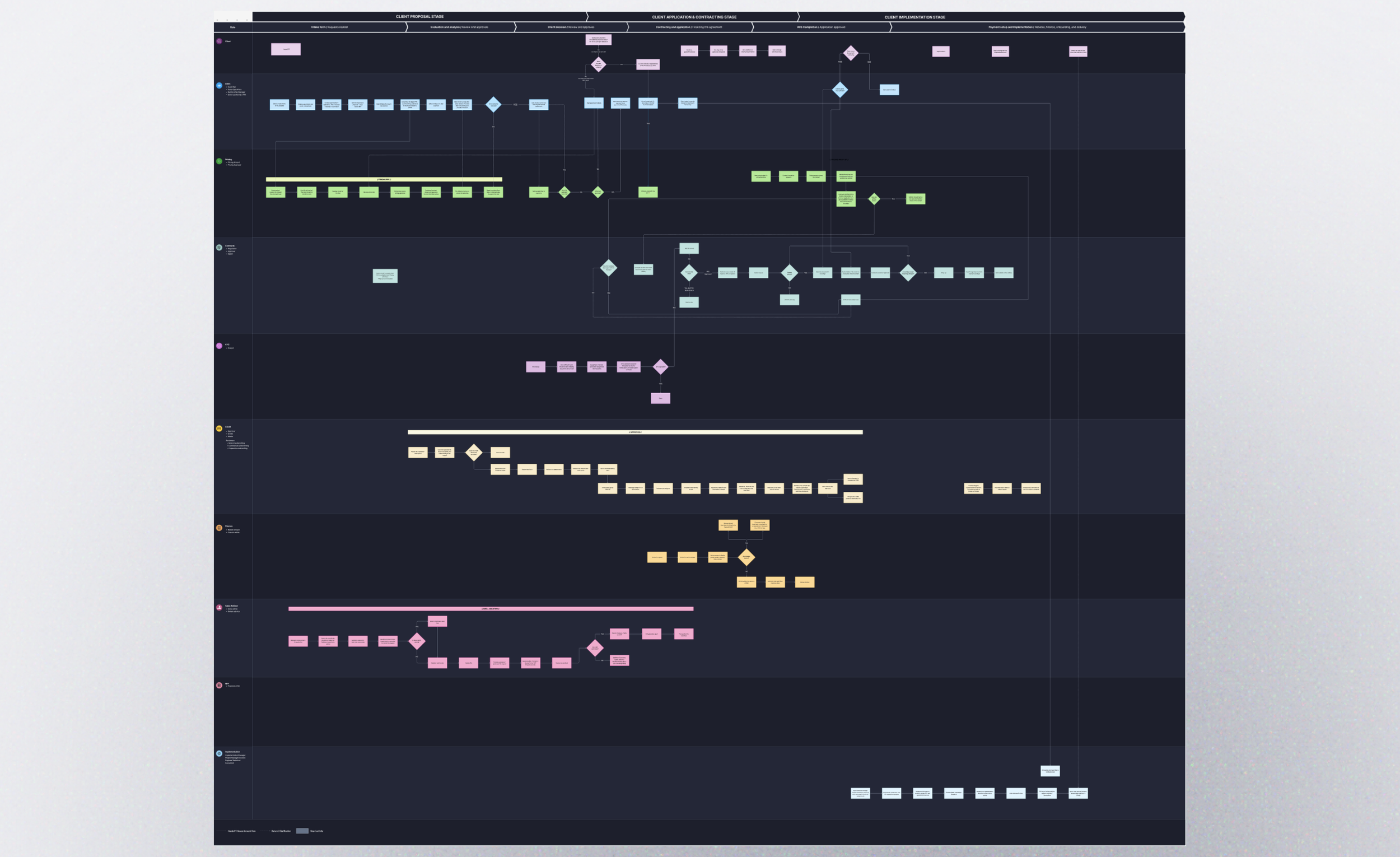
The MVP workflow connected roles, decisions, handoffs, and dependencies across the client lifecycle. I designed the artifact in a dark theme to reduce visual strain and make the complex workflow more comfortable for the team to review.
Focusing on Pricing
Pricing became the team's initial focus because it sits at the beginning of the client proposal process. The experience begins when Sales submits a digital Pricing Request Form (PRF), providing the information Pricing needs to evaluate the request and begin structuring the deal.
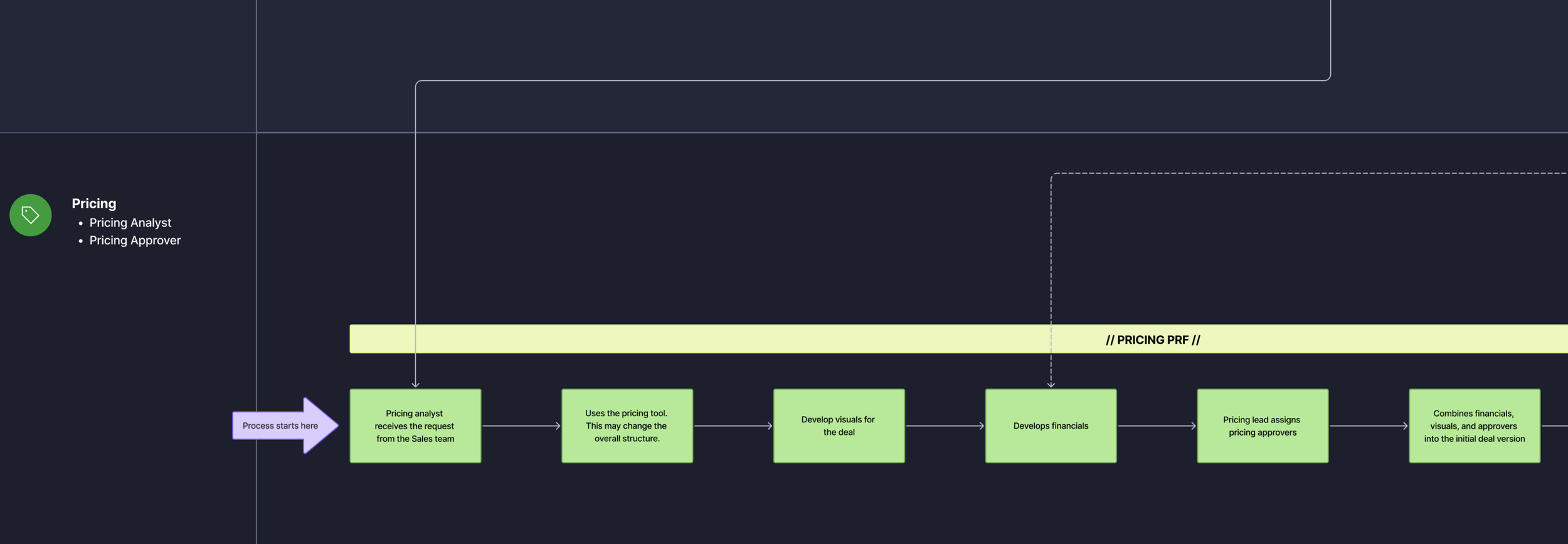
The Pricing workflow begins with Sales submitting the digital PRF, creating an entry point for the work, decisions, and approvals that follow.
This intake sets downstream work in motion, giving the team a logical starting point for translating the broader MVP workflow into ServiceNow.
Designing the intake experience
As the Pricing workflow moved into development, engineering translated the initial requirements into a functional intake form within the ServiceNow testing environment. Partner reviews with Sales Advisors and Pricing surfaced opportunities to improve how information was organized, understood, and completed.
I used that feedback alongside my UX evaluation of the form to explore how the intake experience could provide clearer hierarchy, more intuitive information grouping, and better guidance within ServiceNow's form-building constraints.
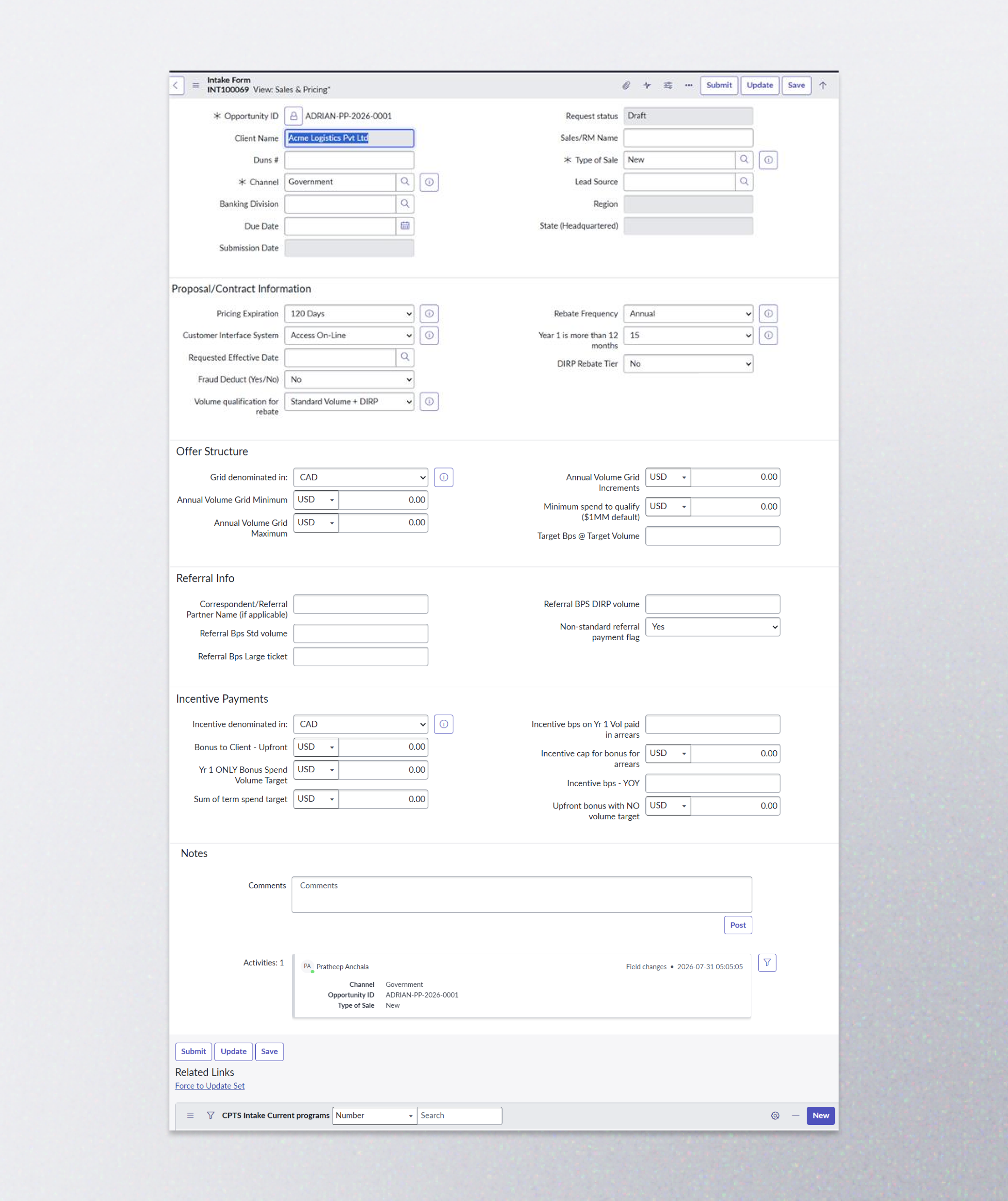
The initial ServiceNow implementation translated intake requirements into a functional form for us to review with partners.
Turning feedback into design opportunities
Partner feedback and my UX evaluation surfaced four opportunities to improve the intake experience.
Clearer hierarchy
During my evaluation, I identified visual hierarchy as an area for improvement. Many fields carried similar visual weight, making it harder for users to understand where to begin and how sections related to one another.
Intuitive grouping
The two-column structure did not clearly communicate whether users should read across or down. I reconsidered fields as conceptual groups rather than simply fitting them into available columns or adhering to the initial structure of the pricing spreadsheet.
Clearer labels and guidance
Several labels were functioning as both the field name and its instructions. I explored separating those responsibilities through concise labels, helper text, and contextual guidance.
Show information when it’s relevant
Referral and incentive information could use conditional behavior so users aren’t presented with every possible field for every request. Some concepts explore progressive disclosure to reveal additional information only when relevant.
Exploring a clearer form structure
I translated these opportunities into low-fidelity concepts, using the explorations to test different approaches to hierarchy, field grouping, labeling, helper content, and conditional sections before introducing additional visual detail.
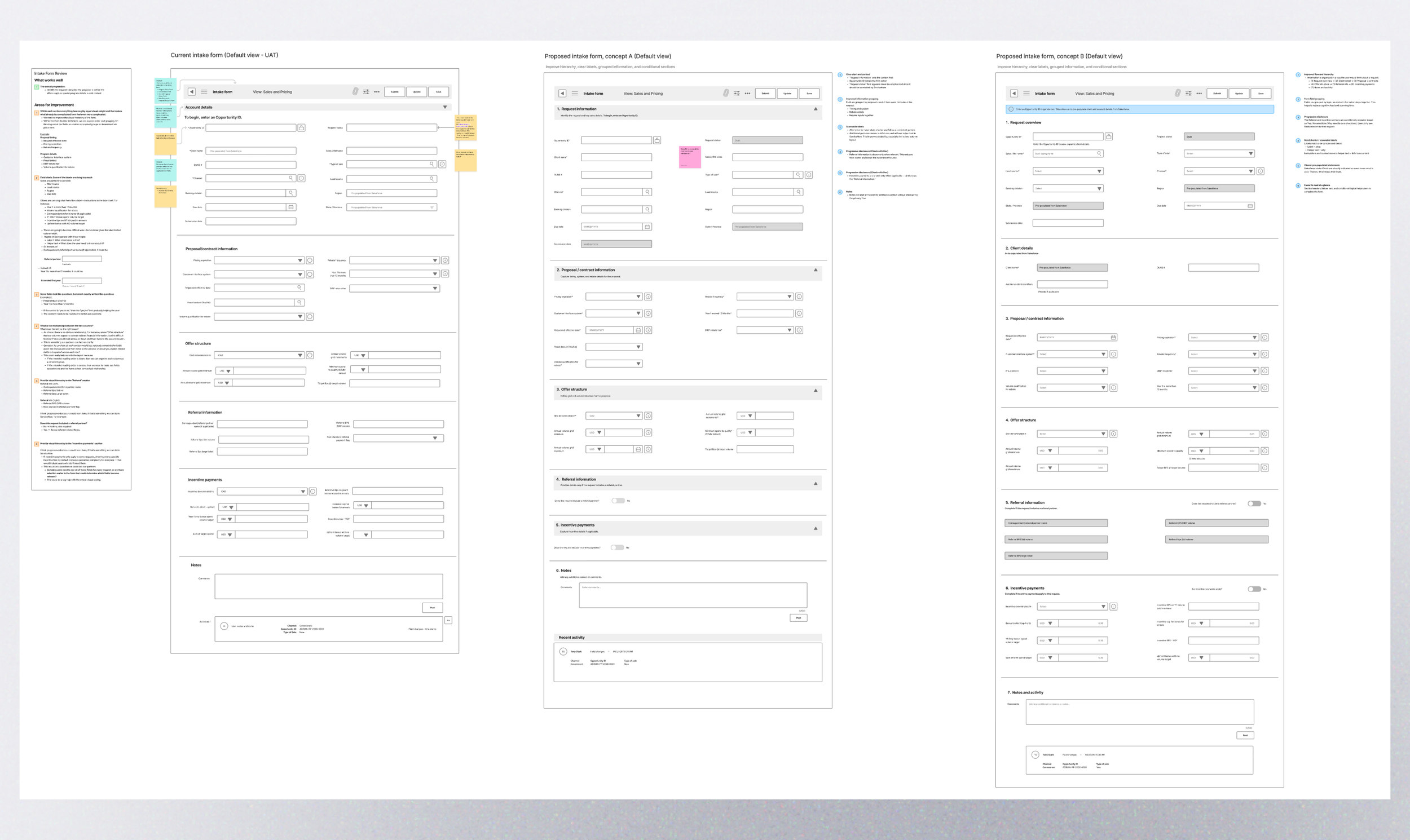
Low-fidelity explorations tested different approaches to hierarchy, information grouping, labeling, and conditional content.
As the concepts evolved, I reorganized the experience around how users think about the request, distinguishing request and client information from proposal details while keeping related inputs together. I also explored clearer treatment for Salesforce-populated fields and progressive disclosure for information that may not apply to every request.
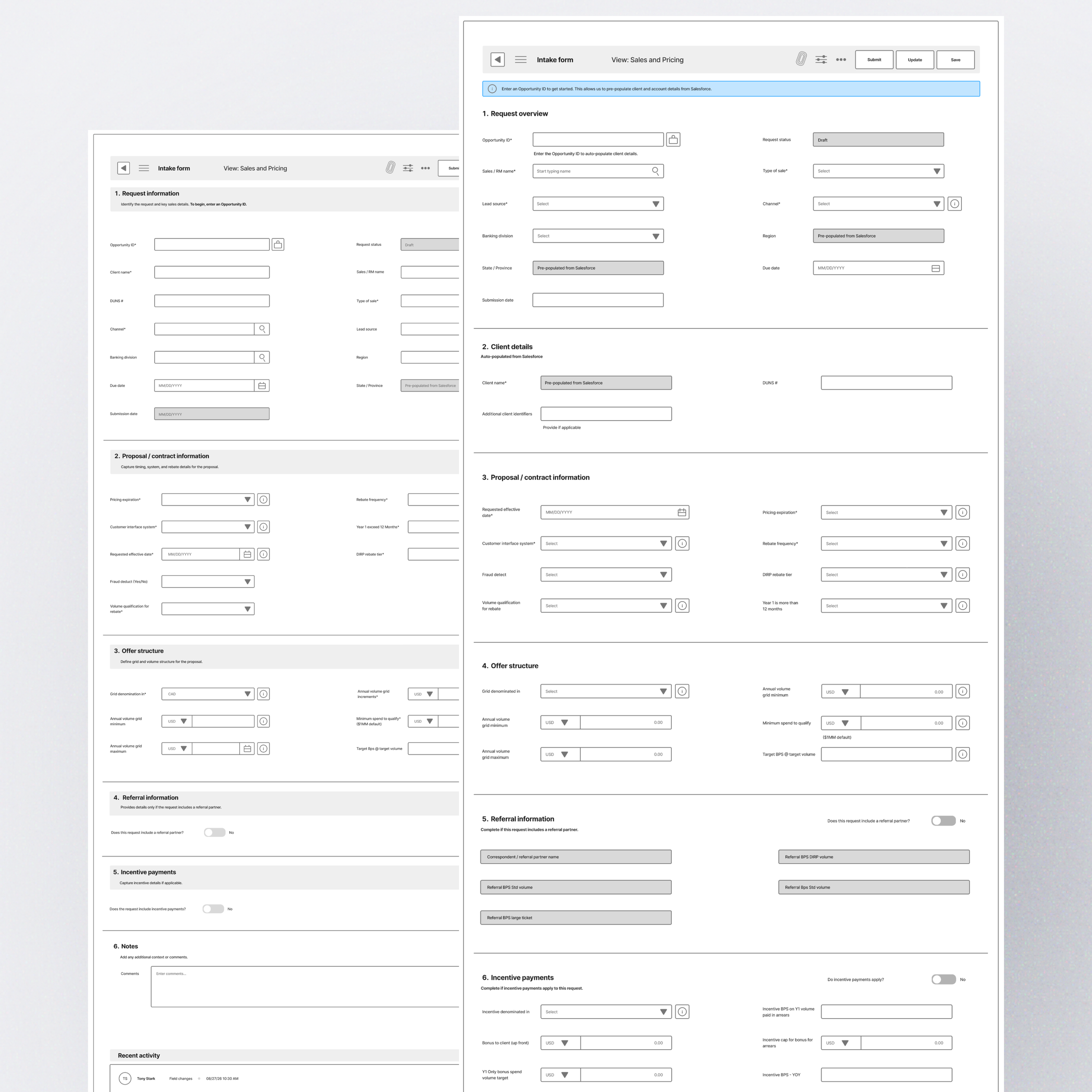
As the concepts evolved, the form became more structured around the request, with clearer information grouping and progressive disclosure for conditional content.
Where we are today
The intake experience is still evolving. I’m continuing to refine the concepts with partners and engineering, using ongoing feedback to validate the form structure, interaction patterns, and technical feasibility within ServiceNow.